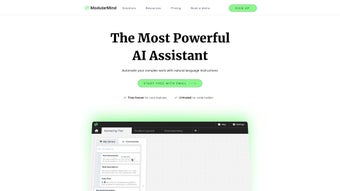

Download ModularMind – No‑Code AI Builder, Workflow Automation, Free & Secure
Overview
ModularMind is a web‑based, no‑code AI builder that lets users design, test, and launch custom AI workflows without writing a single line of code. Built for both solo creators and enterprise teams, the platform focuses on streamlining repetitive, data‑intensive tasks by connecting a wide range of pre‑trained machine‑learning models, language models, and vision APIs into a single, visual pipeline. The moment‑to‑minute workflow designer lets you drag‑and‑drop modules, set conditional logic, and schedule executions, which translates into a dramatic boost in productivity for anyone who regularly handles data cleaning, content generation, or automated decision‑making.
Because it runs entirely in the browser, there is no heavy client‑side installation—just a secure login and you’re ready to start building. The free tier provides core modules, basic data storage, and community‑shared templates, while a tiered subscription unlocks premium models, higher API limits, and advanced collaboration tools. This pricing structure makes ModularMind accessible to hobbyists, startups, and large organizations alike, allowing users to scale their AI capabilities without the constraints of complex coding environments or expensive on‑premise hardware.
Whether you need to generate marketing copy, classify customer support tickets, or automate image tagging, ModularMind offers an intuitive, secure, and cost‑effective solution that bridges the gap between powerful AI technology and everyday business processes.
Key Features & Simple Installation
Feature Highlights
- Drag‑and‑drop workflow canvas for instant AI pipeline creation.
- Library of over 150 pre‑integrated AI models (NLP, vision, speech).
- Zero‑code environment – no programming knowledge required.
- Real‑time preview and debugging tools for rapid iteration.
- Community marketplace with free templates and best‑practice tips.
- Built‑in data versioning and secure cloud storage.
- Scheduled runs, webhook triggers, and API endpoints for automation.
- Collaboration workspace with role‑based access control.
- Scalable subscription plans – free core features, premium add‑ons.
- GDPR‑compliant security and end‑to‑end encryption for sensitive data.
Installation & First‑Time Use
Getting started with ModularMind is intentionally frictionless. Because the application is fully web‑based, the only requirement is a modern browser (Chrome, Edge, Firefox, or Safari) and an internet connection. Follow these steps to download and begin using the platform:
- Visit https://modularmind.ai and click the “Sign Up Free” button.
- Enter your email address, create a strong password, and verify your account via the confirmation link.
- After logging in, you will be greeted by the onboarding wizard that walks you through the basic concepts of modules, data sources, and triggers.
- Choose a template from the community gallery or start with a blank canvas. The drag‑and‑drop interface lets you place modules like “Text Summarizer,” “Image Classifier,” or “Data Cleaner” onto the workflow board.
- Configure each module by clicking on it – you can select the underlying AI model, set parameters, and map input/output fields without writing code.
- Save the workflow, give it a descriptive name, and click “Run” to test it with a sample dataset. The platform provides real‑time logs and visual feedback to help you troubleshoot.
- When you’re satisfied, enable scheduling or expose the workflow as a public API endpoint to integrate with external systems.
The entire process, from account creation to the first successful run, typically takes less than ten minutes, making ModularMind one of the quickest AI deployment solutions on the market. For teams, the admin panel offers user management, usage analytics, and billing controls, ensuring that scaling up does not introduce unnecessary complexity.
Compatibility, Pros & Cons
Because ModularMind lives in the cloud, it is OS‑agnostic. You can access the platform from Windows 10/11, macOS Ventura or later, Linux desktops, as well as mobile browsers on Android 8+ and iOS 13+. The responsive UI adapts gracefully to tablets and smartphones, allowing you to monitor and adjust workflows on the go. All data is stored securely on encrypted servers, and the service complies with major privacy regulations (GDPR, CCPA), so you can safely handle personal or proprietary information regardless of your operating system.
Pros
- Ease of use: No‑code interface lowers the entry barrier for non‑technical users.
- Rapid prototyping: Visual canvas and real‑time debugging accelerate development cycles.
- Extensive model library: Access to a wide variety of pre‑trained AI services without separate API keys.
- Community resources: Free templates and shared tips shorten the learning curve.
- Scalable pricing: Free tier provides sufficient functionality for small projects; premium plans add advanced models and higher usage limits.
- Cross‑platform: Works on any modern browser, making it OS‑independent.
- Security & compliance: End‑to‑end encryption and GDPR compliance protect sensitive data.
Cons
- Internet dependence: Since the platform is cloud‑only, offline work is not possible.
- Limited custom code: Advanced users may miss the ability to inject custom scripts or proprietary models.
- Subscription costs: Premium features can become pricey for enterprises requiring high‑volume API calls.
- Performance latency: Complex pipelines may experience slight delays due to server‑side processing.
- Data residency: Some organizations require on‑premise solutions, which ModularMind does not currently offer.
Overall Rating: 4.5/5 – ModularMind delivers a powerful, user‑friendly environment for building AI workflows without code, though power users may crave deeper customization.
Frequently Asked Questions & Final Thoughts
Is there a completely free version of ModularMind?
Yes. The free tier includes access to the core workflow builder, a limited set of AI models, community templates, and up to 5,000 API calls per month, which is enough for small projects or learning purposes.
Can I integrate my own custom AI models?
Currently ModularMind focuses on pre‑integrated models. However, you can call external APIs via the “Web Request” module, effectively allowing you to connect any custom model that exposes a REST endpoint.
What security measures protect my data?
All data is encrypted at rest and in transit using TLS 1.3. ModularMind complies with GDPR and CCPA, and offers role‑based access controls for team environments.
Which browsers are officially supported?
The platform is optimized for the latest versions of Chrome, Edge, Firefox, and Safari. Mobile browsers on Android 8+ and iOS 13+ are also fully supported.
How does pricing scale for larger teams?
ModularMind offers tiered subscription plans: Starter ($19/month), Professional ($49/month), and Enterprise (custom pricing). Each tier raises API limits, unlocks premium models, and adds collaboration features such as shared workspaces and admin dashboards.
Conclusion – Why You Should Download ModularMind Today
If you’re looking for a fast, secure, and affordable way to bring AI into everyday workflows without learning Python or TensorFlow, ModularMind is a standout choice. Its intuitive drag‑and‑drop canvas, extensive model library, and community‑driven templates make it possible to prototype sophisticated pipelines in minutes, not weeks. While power users may miss deep code access, the platform’s “Web Request” module provides a practical bridge for custom integrations. The free tier lowers the barrier to entry, and the subscription plans are transparent, allowing businesses to scale as their AI demands grow. With cross‑platform compatibility, strong security posture, and a focus on user productivity, ModularMind positions itself as the go‑to no‑code AI builder for marketers, analysts, developers, and anyone eager to automate repetitive tasks.
Ready to streamline your AI workflows? Download ModularMind now, start building for free, and experience how a no‑code approach can accelerate your productivity and unlock new possibilities for your projects.



.png)



